See what needs attention
A single project record keeps overdue work, approvals and milestones visible without a status-meeting spreadsheet.
Project management for interior designers
NYA gives interior designers one project workspace for the schedule, tasks, files, selections, proposals, invoices and client updates. Every piece of work stays attached to the client and room it belongs to, so the studio can answer what is next without rebuilding the story from email and spreadsheets.
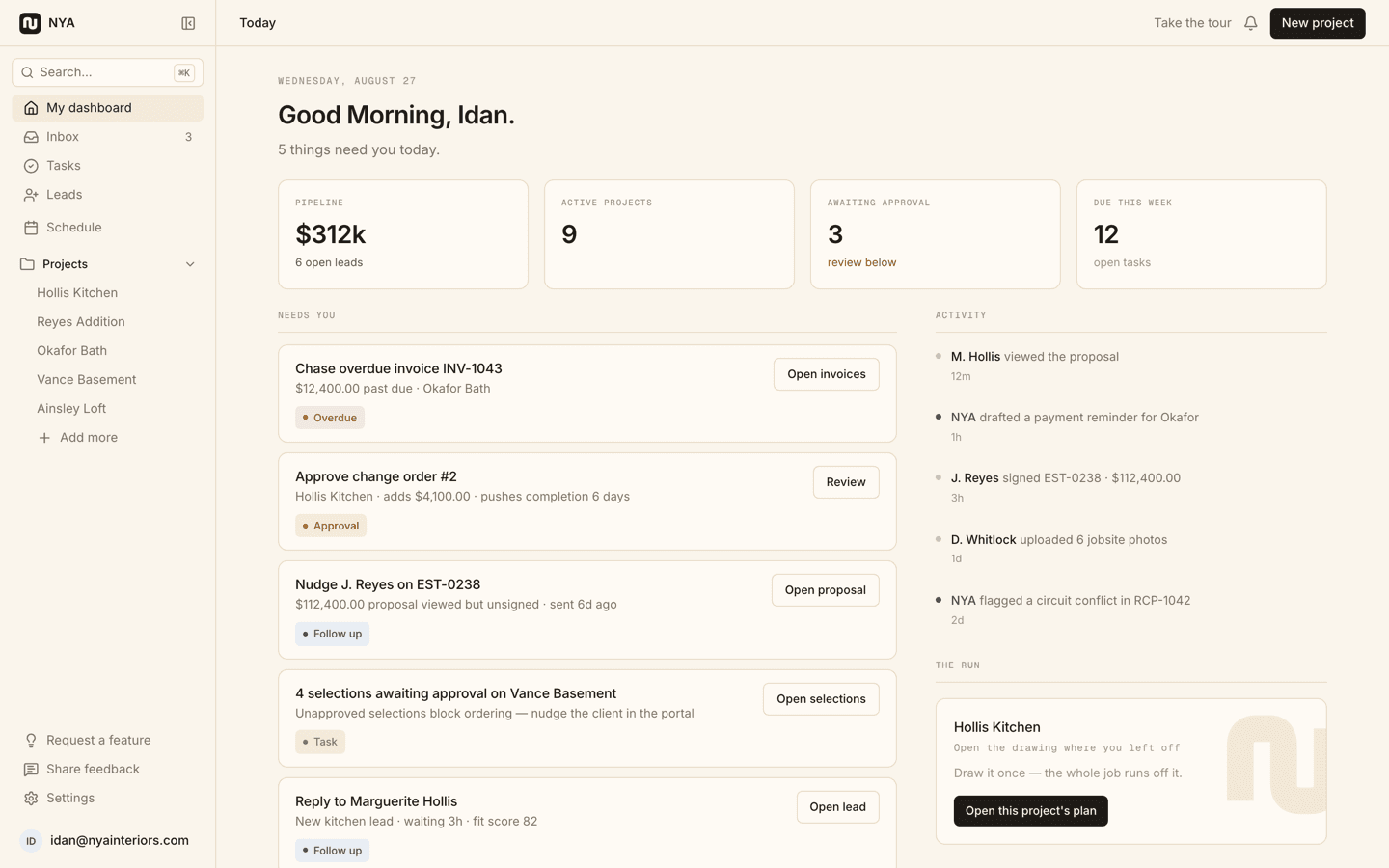
A single project record keeps overdue work, approvals and milestones visible without a status-meeting spreadsheet.
Files, decisions, money and schedule items live with the project instead of in separate generic work-management boards.
The studio keeps its working detail while clients receive a focused private portal for progress and decisions.
How it works
Create the client project, define its current stage and next milestone, then add the rooms and people involved.
Add schedule events, tasks, files and design decisions while keeping every item under the same project.
Share an approval, send a proposal or export a drawing instead of writing another status recap.
Yes. Tasks and schedules sit beside design-specific selections, approvals, proposals, invoices, purchase orders, mood boards and reflected ceiling plans.
No. Clients use a private link with scopes chosen by the studio, so they see the appropriate decisions and updates rather than the internal working view.
Yes. That is the recommended trial path: put one active client project in NYA and complete one real approval or RCP handoff before considering a larger migration.
Seven days free. No card required. Your work stays yours.