One source for every item
Keep the product link, image, vendor, price, quantity, room and decision together.
Product selection software
NYA keeps interior design product selections organized by project and area, with vendor details, pricing, quantities and approval status attached to each item. Designers can save products, arrange the visual story, share decisions with a client and carry approved selections toward purchasing without retyping the same information.
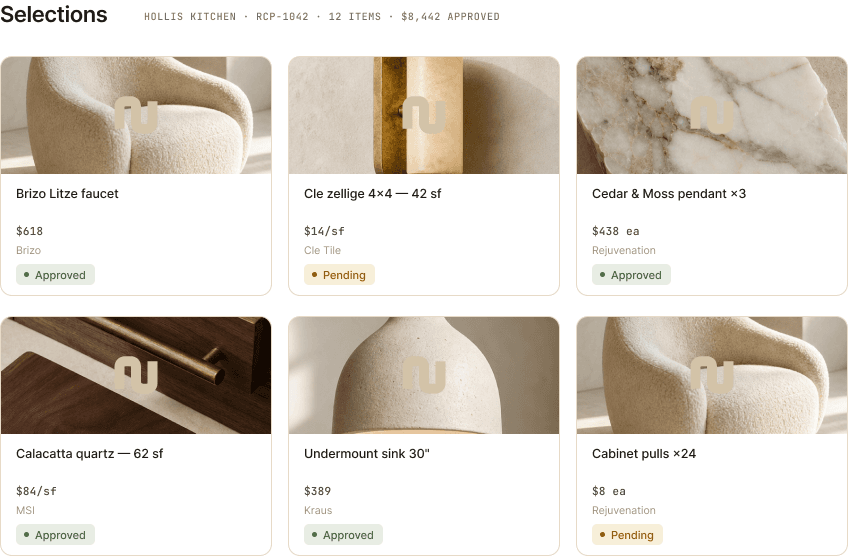
Keep the product link, image, vendor, price, quantity, room and decision together.
Per-item status replaces the ambiguous memory that a client approved ‘the bathroom selections.’
Approved items stay connected as the project moves into proposals, purchase orders and delivery tracking.
How it works
Use the NYA Clipper or enter the product directly with the source details the studio will need later.
Assign the selection to its project and area, then use mood boards when the client needs the visual story.
Share a scoped client link so each item can be approved, declined or discussed without losing the answer in a thread.
Yes. Selections live under a project and can be organized by area so the product list matches the way the studio and client discuss the job.
Yes. The NYA Clipper saves product information from vendor pages into a project's selections; the saved details remain editable.
Yes. Approval-capable portal links let a client approve, decline or ask about individual selections.
Seven days free. No card required. Your work stays yours.